 ReparoGR DTF Print · Tijuana, México
App para iPhone y iPad
La orden de tu taller, en tu teléfono.
Recibe cada vehículo con fotos y firma, manda el presupuesto, guarda la autorización de tu cliente y avísale por WhatsApp cuando esté listo.
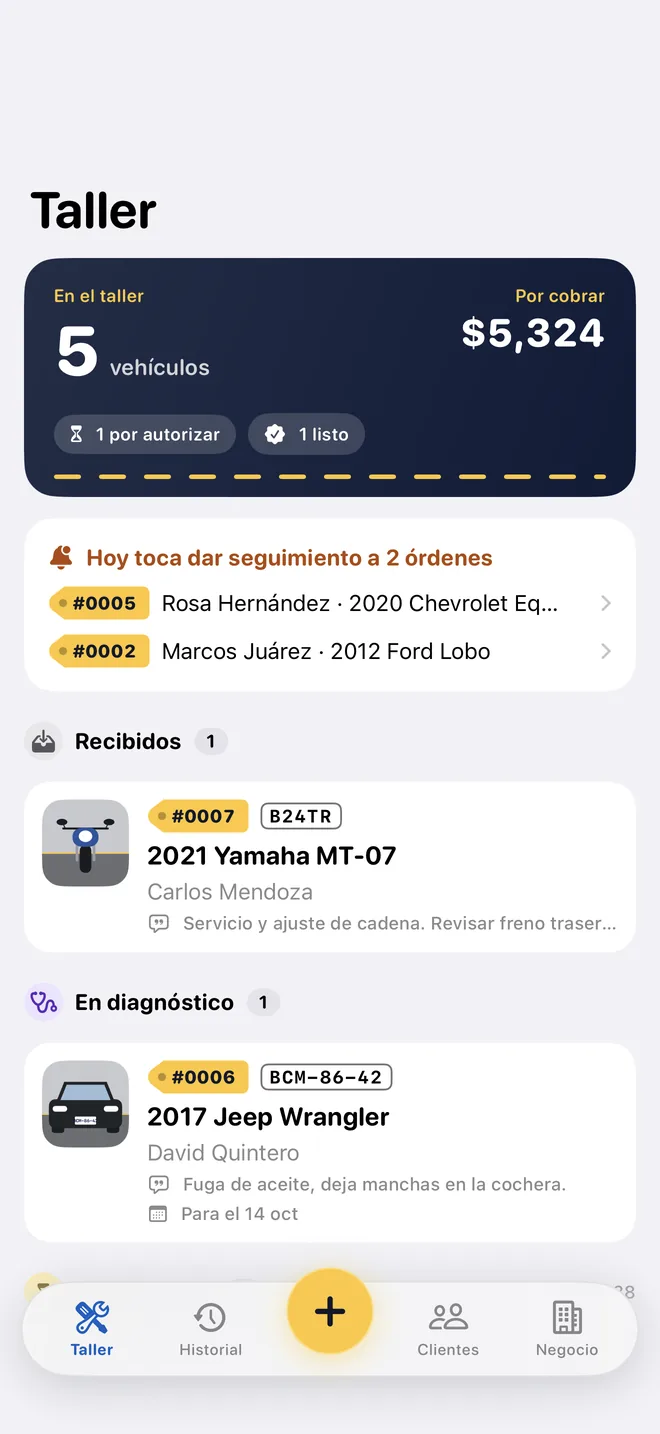 #0007 RecibidoListo
Del mostrador a la entrega en cuatro pasos
Sin cuentas ni servidores: tus órdenes viven en tu teléfono y en tu iCloud.
- Recibe. Placas, kilometraje, gasolina, fotos de cómo llega y la firma de tu cliente. En exprés, una sola pantalla.
- Presupuesta. Mano de obra y refacciones con tus precios. Sale en PDF con tu logo, en español o en inglés.
- Autoriza. Tu cliente firma en tu teléfono, o anotas cómo y cuándo dijo que sí. Queda por escrito.
- Avisa y entrega. El «ya está listo» sale escrito para WhatsApp. Cobras, entregas con firma y la garantía empieza a correr.
Así se ve
Capturas de la app, con un taller de ejemplo.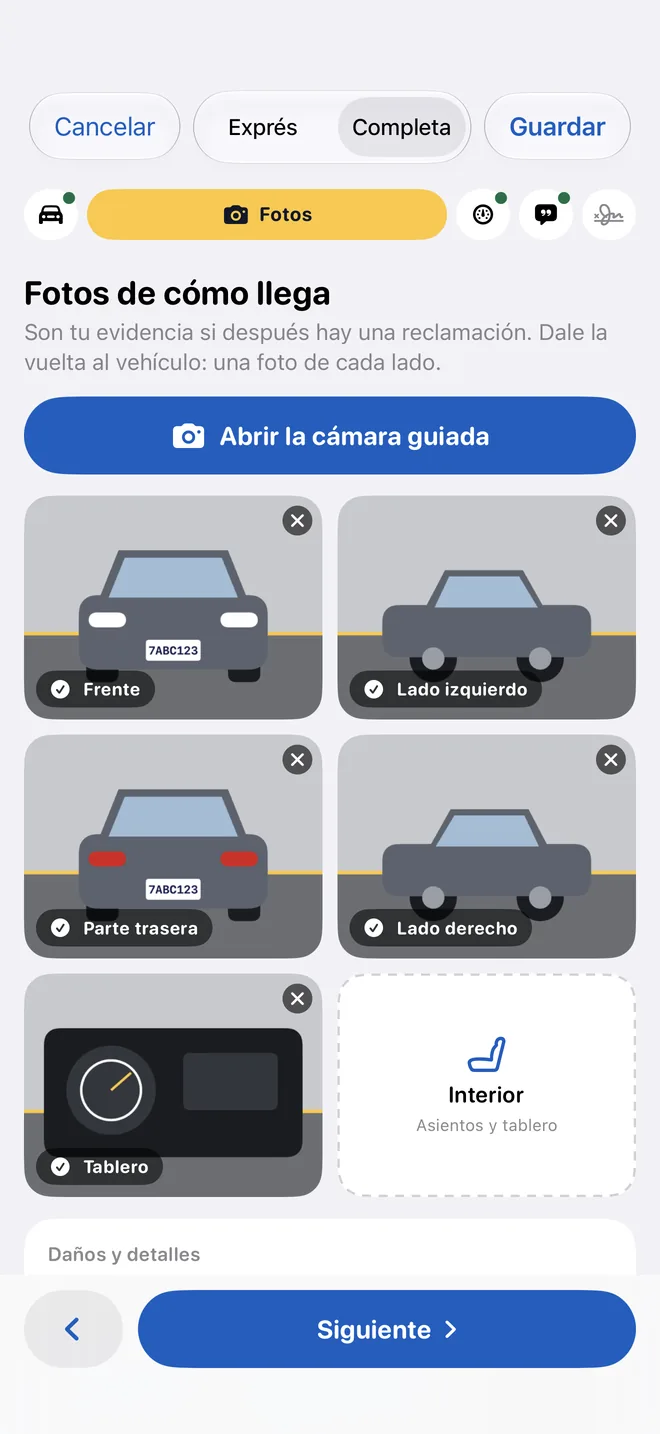
Fotos de cómo llegaUna cámara te guía lado por lado. Son tu evidencia si después hay una reclamación. 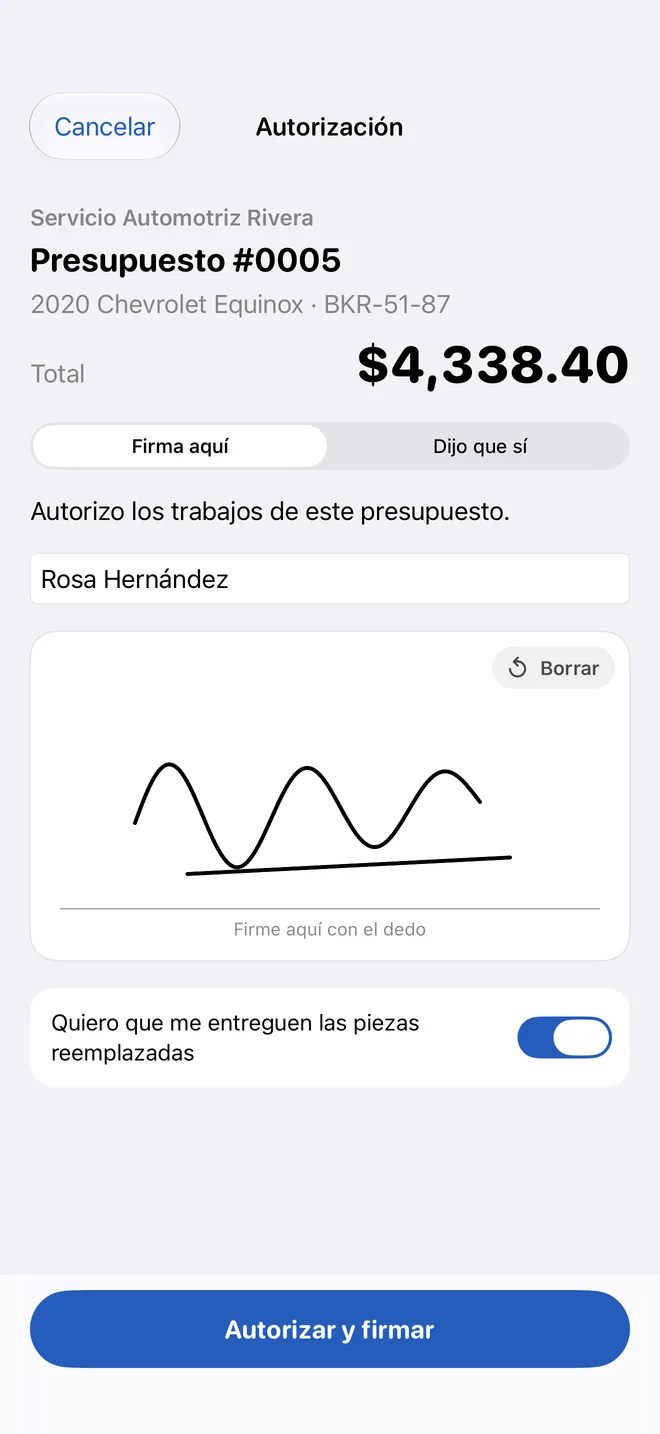
Autorización con firmaEl presupuesto, el total y la firma de tu cliente, en la misma pantalla. 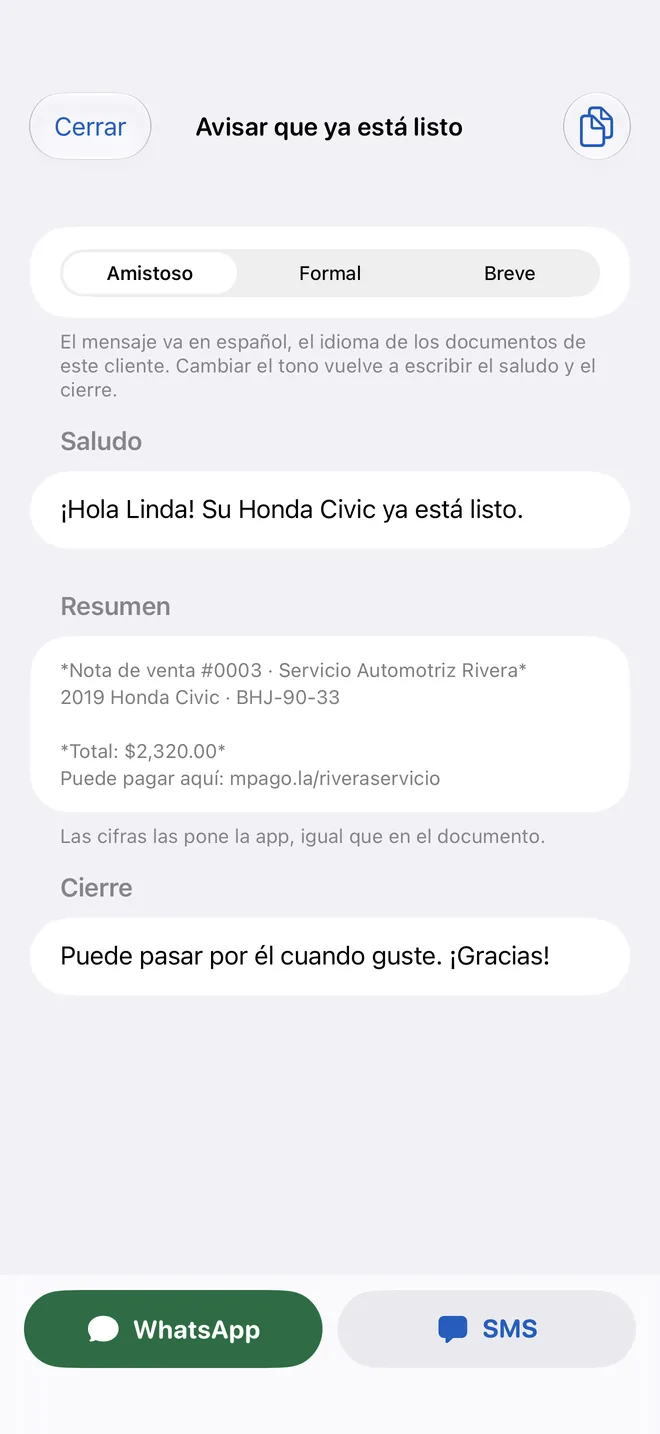
«Ya está listo»El mensaje sale escrito con el total. Tú eliges el tono y lo mandas.
Gratis para empezar. Pro cuando el taller lo pida.
Lo gratis no esconde funciones: solo tiene tope de vehículos al mes.
Gratis
Para empezar y para el taller que recibe pocos vehículos.
- 5 vehículos cada mes, con todas las funciones
- iCloud y respaldo en archivo
- Documentos con la línea «Hecho con Reparo»
Reparo PRO
Mensual, anual o un solo pago de por vida.
- Todos los vehículos que lleguen, sin tope
- Tus documentos sin la marca de la app
- Tus notas y clientes exportados para QuickBooks
¿Dudas?
Escríbenos o revisa la ayuda paso a paso.
App for iPhone and iPad
Your shop's repair order, on your phone.
Check in every vehicle with photos and a signature, send the estimate, keep your customer's authorization and text them when it's ready.
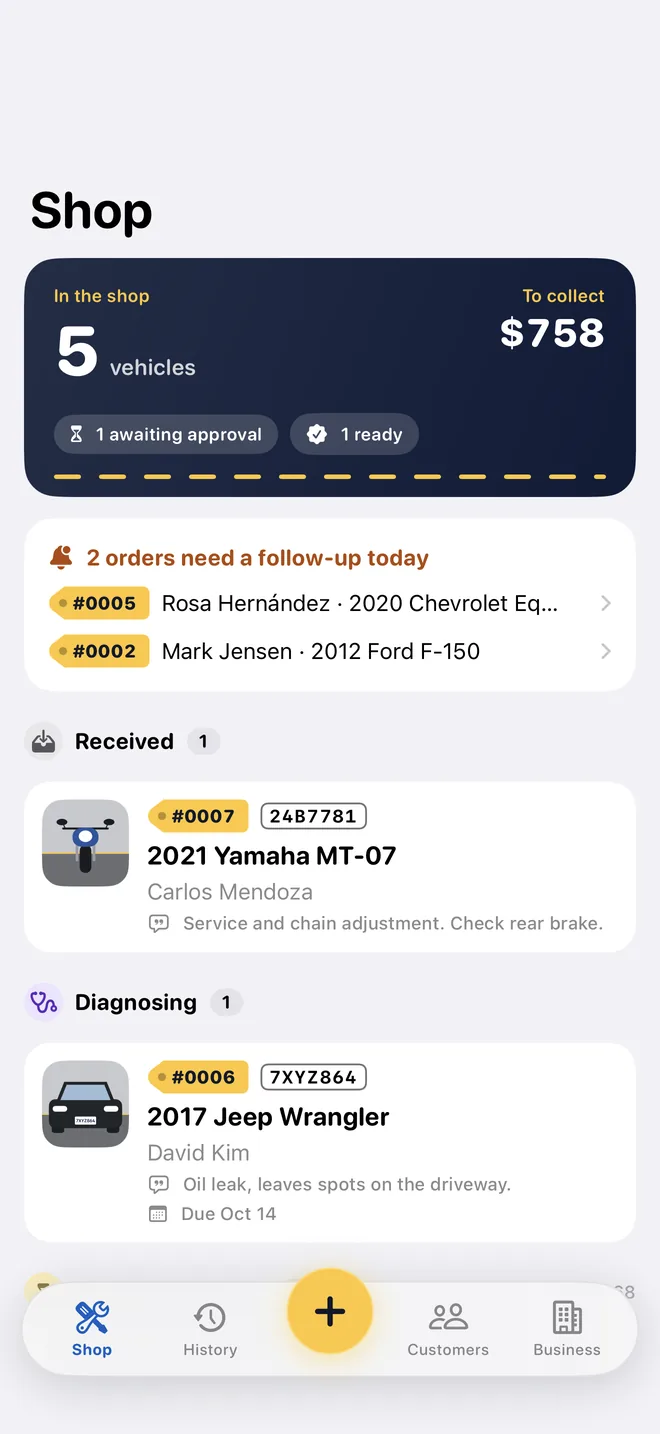 #0007 ReceivedReady
From the counter to delivery in four steps
No accounts, no servers: your orders live on your phone and in your iCloud.
- Check in. Plate, odometer, fuel, photos of how it arrives and your customer's signature. In Express, a single screen.
- Estimate. Labor and parts at your prices. It goes out as a PDF with your logo, in English or Spanish.
- Authorize. Your customer signs on your phone, or you record how and when they said yes. It's in writing.
- Notify and deliver. “It's ready” is written for you to send on WhatsApp. Collect, hand over with a signature and the warranty starts running.
What it looks like
Screens from the app, with a sample shop.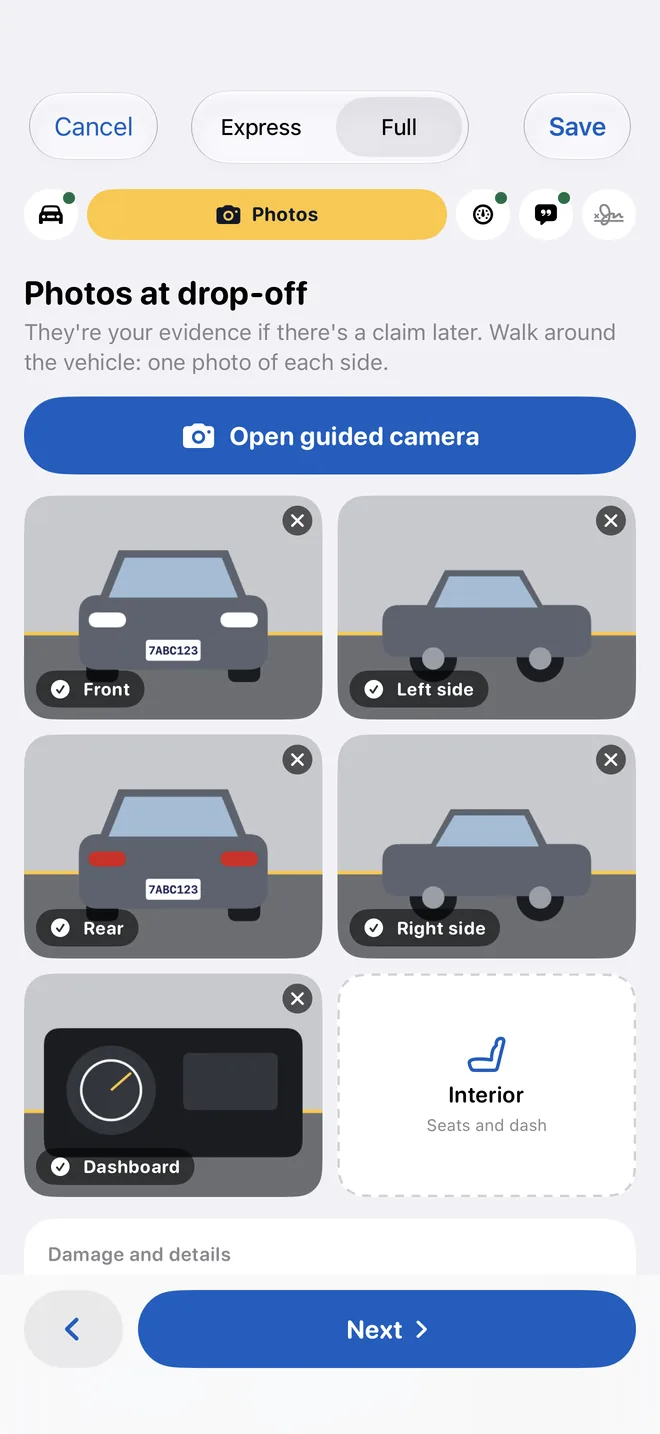
Photos of how it arrivesA camera guides you side by side. They're your evidence if there's a claim later. 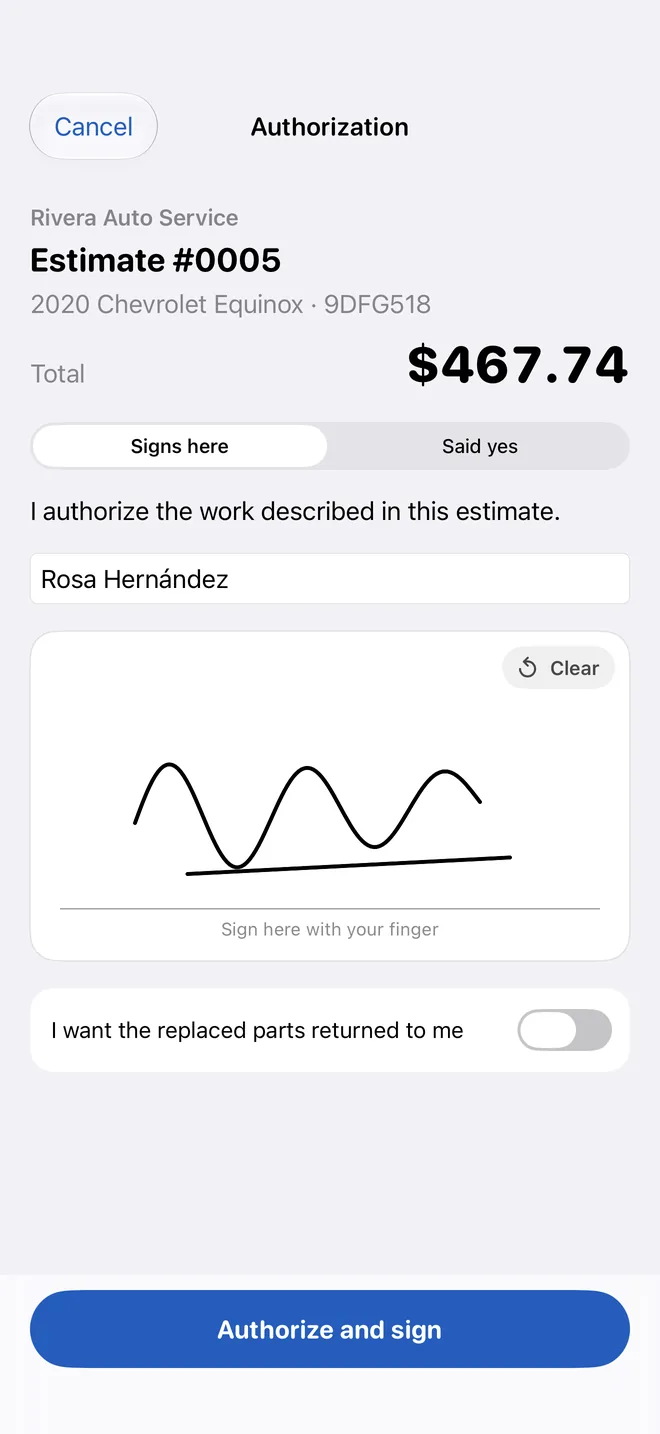
Signed authorizationThe estimate, the total and your customer's signature, on one screen. 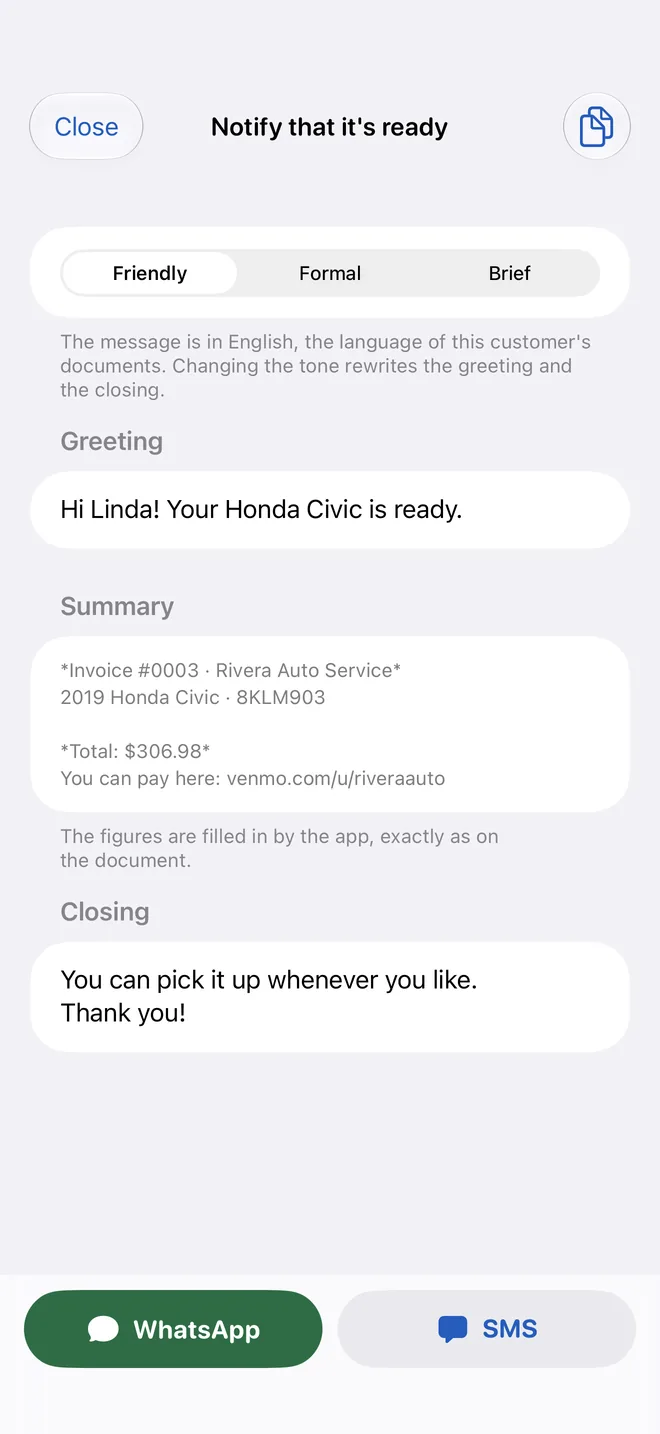
“It's ready”The message is written with the total. You pick the tone and send it.
Free to start. Pro when the shop needs it.
Free doesn't hide features: it only caps the vehicles per month.
Free
To get started, and for the shop that sees a few vehicles.
- 5 vehicles every month, with every feature
- iCloud and backup to a file
- Documents with the “Made with Reparo” line
Reparo PRO
Monthly, yearly or a one-time lifetime purchase.
- Every vehicle that comes in, with no cap
- Your documents without the app's mark
- Your invoices and customers exported for QuickBooks
Questions?
Email us or browse the step-by-step help.